 AI-Powered 1:1s
Stop starting every 1:1 with 'So… what's up?'
Windy helps create a smart agenda for every 1:1 using recent work from 


 , role context, and past discussions, so you can spend less time preparing and more time supporting your team.











Your best-prepared meeting, without the prep
Windy automatically gathers context from your tools, looks at your past meetings, and chats with you and your reports to create comprehensive 1:1 agendas. No more scrambling for topics or forgetting important discussions.
- Automatic topic gathering
- Windy reaches out before the meeting to gather what each of you wants to discuss, and Suggested Topics surface the recent work worth talking about.
- Context from actual work
- Pulls in recent PRs, tasks, meetings, and recaps so you know what they've been working on.
- Automatic action item tracking
- Windy remembers action items from previous meetings and carries them forward to the next meeting.
- Continuous thread
- Previous action items and discussion points carry forward, ensuring nothing falls through the cracks.
Thread
Windy

Windy
Today at 9:00 AM
Hey @Sarah! Your 1:1 with Alex is tomorrow at 2pm. There's nothing on the agenda yet, but here are some topics that might be worth discussing:
• Aligning on priorities for Windy v2
• Developing a system for tracking SEO impact
• GTM team tooling - you spoke to Max earlier about software costs
Do you want to add anything?
5 replies
Sarah
Just now
Yeah - definitely want to sync up on software costs and make sure I'm not overspending. Let's talk about SEO as well.
Windy
APP
Just now
Got it! Anything else on your mind?
Sarah
Just now
Not at the moment - might have more for you later!
Windy
APP
Just now
Added those to the agenda. If you think of anything else, just message me in Slack!
Sarah
Just now
Thanks Windy! 🙌
Add a reply
Never show up to a 1:1 blind again.
Catch Me Up
Walk into every 1:1 already briefed
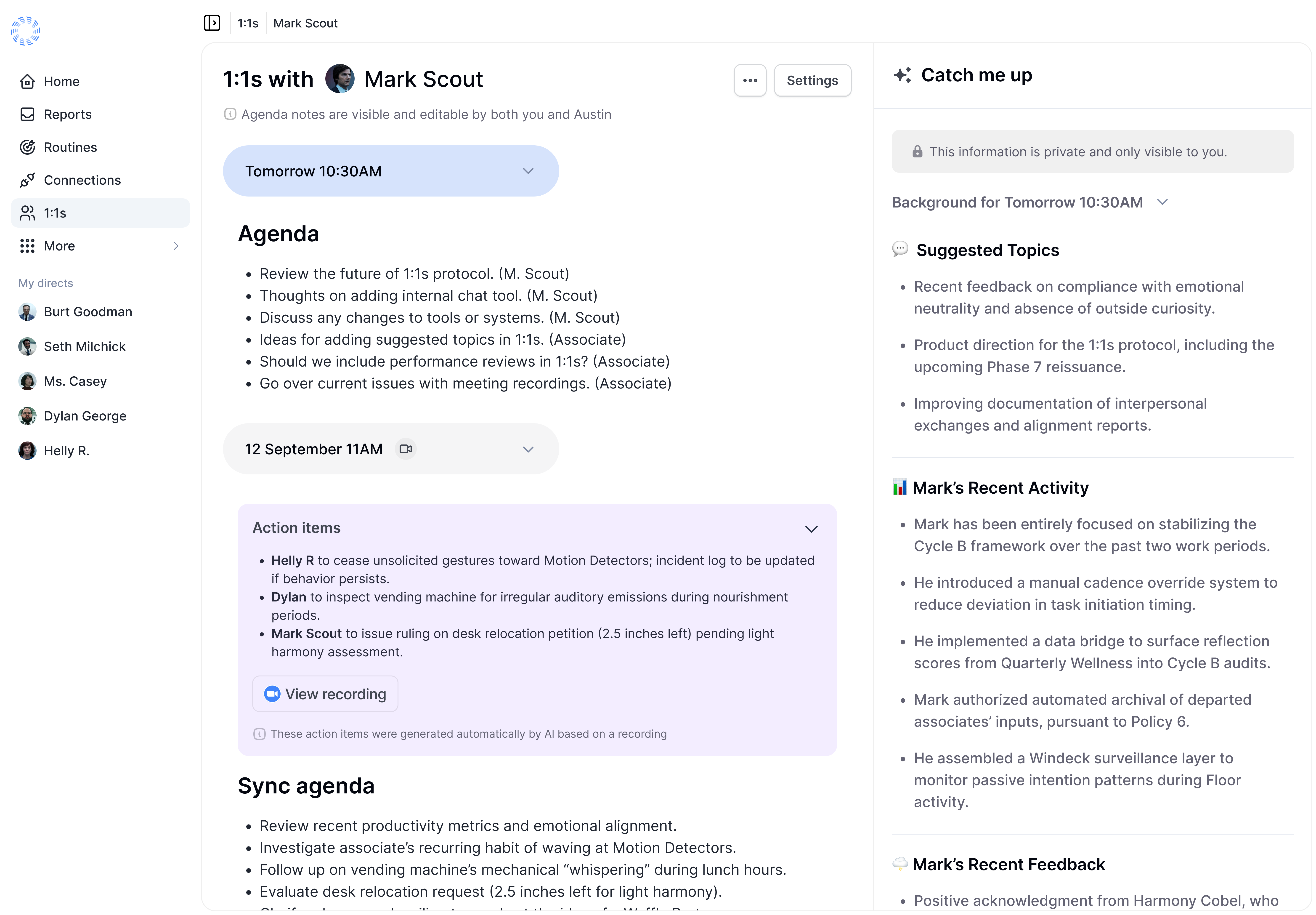
Catch Me Up gives everyone an AI-generated briefing before the meeting, built only from work you already have access to and cited so you can check the source. It adapts to who you're meeting.
Meeting a direct report
- Recent activity and accomplishments
- Feedback they've received
- Goals, progress, and growth areas
Meeting your manager
- Your wins and progress
- Blockers and risks worth raising
- Suggested discussion points
Meeting a peer
- Their recent work
- The context you share
- Coordination opportunities
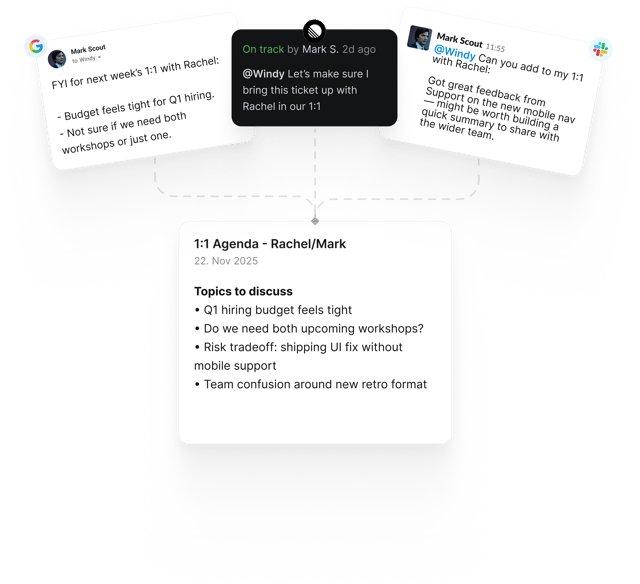
Set it and forget it. Windy remembers for you
Message Windy in Slack whenever something comes up. Questions, feedback, and wins are automatically added to your next 1:1 agenda.
Everything about the 1:1, in one place
Agendas, notes, templates, and meeting recordings live together on the 1:1, so nothing scatters across tools.
- 1:1 Templates
- Roll out company-wide templates managed by HR, build your own, share them with specific groups or people, and set a default for any 1:1 pair.
- Recordings, right in the 1:1
- Transcripts and notes from Zoom, Google Meet, Gong, Granola, and Roam appear inside the meeting view. Audio and video stay on the source platform.
- Version history
- Shared notes save versions automatically. Browse earlier versions and restore one whenever you need it.
- Images and tagging
- Drop images into your notes and tag the other participant to send them the note with its context.
Smart, rich context from your tools
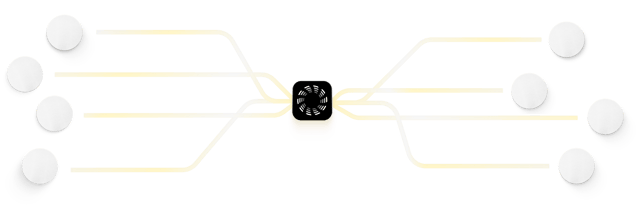
Windy pulls context from where work happens to suggest relevant topics for your 1:1s.





Why traditional 1:1s fail
Most 1:1s start with awkward silence and end with forgotten action items. Here's what goes wrong:

No preparation time
Managers juggle 5-10+ direct reports. There's simply no time to properly prepare for each meeting.

Lost context between meetings
What did we discuss last time? What were the action items? Important threads get dropped.

Surface-level discussions
Without context on recent work and challenges, conversations stay shallow instead of strategic.

Forgotten follow-ups
Action items and important feedback get lost in notebooks or scattered across different tools.
Ready to transform your 1:1s?
Join top teams who've saved hundreds of hours on their 1:1s.
Frequently asked questions
Can managers and employees both add items to the meeting agenda? What does the agenda output look like?
Yes, both managers and employees can add items to the meeting agenda through Windy in Slack or directly in the platform. In Slack, message Windy with the topic and it lands on the agenda for your next 1:1. The output is a collaborative document in the Windmill platform, which contains agenda bullets alongside relevant work context.
Does Windmill support or complement 1:1 meetings that are not recorded?
Regardless of whether a 1:1 is recorded, Windy can build agendas and pull context from integrated systems, suggesting specific topics and providing managers with the "Catch me up" section. Windmill can also integrate AI meeting notes like Gemini transcription if desired.
Can Windmill show previous 1:1 notes when I'm preparing for the next meeting?
Yes, Windmill allows you to review previous 1:1s with a given employee, making it easy to track prior discussions and continuity between meetings.
What differentiates your 1:1s from platforms like Lattice?
Our system is designed so that any information collected from 1:1s, feedback, surveys, and performance reviews is interconnected. For example, managers are automatically presented with summarized, contextual data on their direct reports—so meetings are never started from scratch. Windmill makes use of already available data to draft agenda points, resulting in a much higher-quality process compared to starting with empty forms.
Is there department/admin visibility into how managers are running and structuring 1:1s?
Admins can see which 1:1s have been held (date and participants). 1:1 notes and agendas are private to the two participants by default.
Can I configure pre-meeting questions that my reports will be prompted to answer ahead of a 1:1?
Yes. Set a 1:1 template with the questions you want covered ahead of each meeting. Templates can be applied to a single 1:1 or set as the default for a pair, and HR teams can create company-wide templates that apply across every manager.